New: AI Workspace – Secure AI for Organizations With Sensitive Data. Learn more.



At a Glance
Governance templates: versioned, with a preview before application, without compromising data residency requirements
Audit log: HMAC-SHA-256 hash chain, key stored outside the database
Four-eyes approval for changes to the prompt library, projects, and organizational settings
Compliance reports as CSV or PDF
Traffic-light indicator in chat: Users can see, before sending, which data protection mode their next message will be processed under
Pricing reference: starting at €13 per user per month plus VAT
In a nutshell: AI Act governance refers to the technical and organizational controls that organizations use to manage, document, and demonstrate their use of AI. Myra AI Workspace supports this with governance templates, guardrails, four-eyes approvals, audit logs, a governance dashboard, and compliance reports. An HMAC-SHA-256-chained audit log detects any subsequent tampering with admin logs.



Governance That Documents Itself
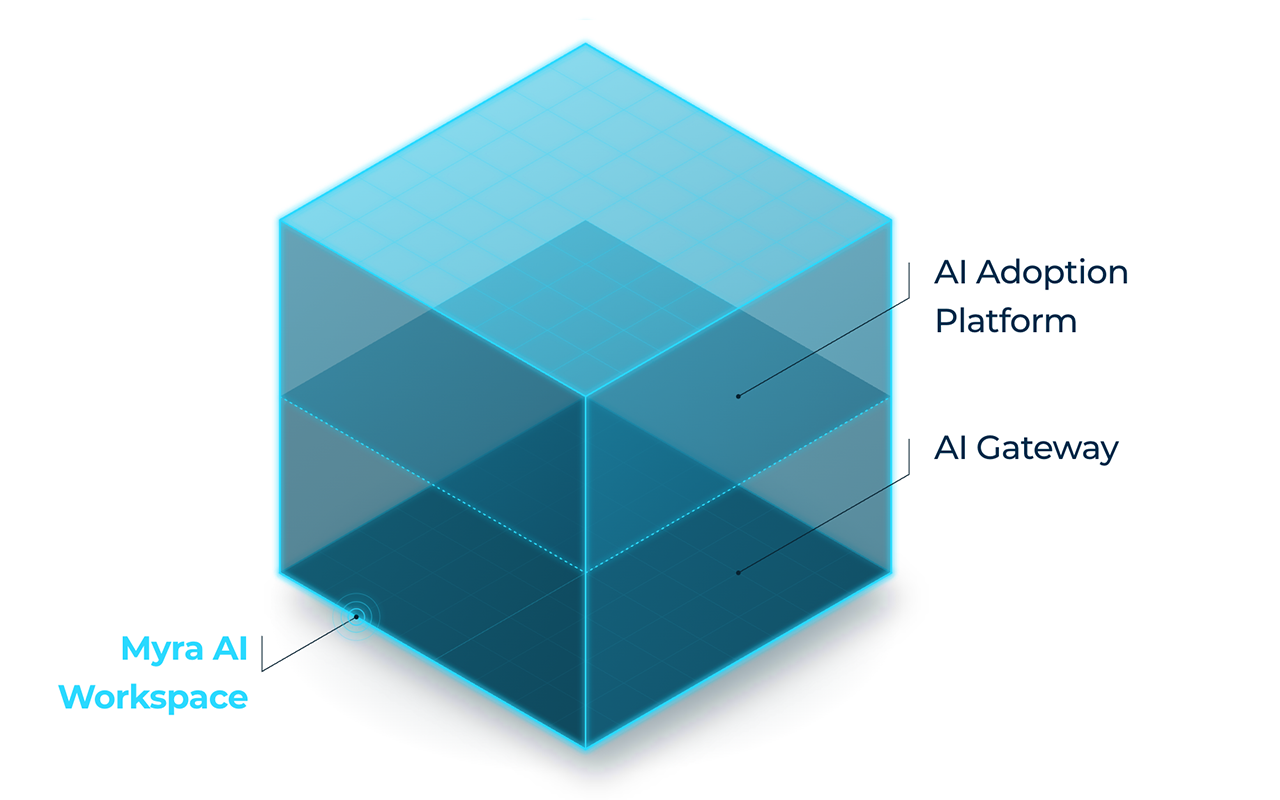
Myra AI Workspace combines an AI gateway with a chat and project interface. The governance features are located in the gateway. They are applied to every request, regardless of the selected model.
AI Governance Templates: Obligations Become Settings
AI governance templates translate internal policies and regulatory requirements into specific gateway settings. A governance template specifies which obligations under the EU AI Act or GDPR it covers and which gateway settings it affects. This ensures that your regulatory intent is documented in a versioned, auditable location. The underlying policy does not need to be redefined for each gateway.
Preview before applying: For each setting, the dialog displays the status “Will change,” “Unchanged,” “Set on tenant,” or “Blocked by residency floor.”
Data residency remains protected: A template can tighten residency requirements but can never lower them below the specified minimum threshold.
No accidental failure: If a template would block all providers, the system refuses to apply it.
Approval by the Data Protection Officer: Templates can be marked as approved by the Data Protection Officer and are then read-only in the interface.
Clear accountability: Only admins, tenant admins, and AI managers are allowed to create and apply templates. Each template belongs to exactly one tenant.
Currently, templates control three settings: EU region routing, enforcement of the provider allowlist, and mandatory PII masking. Additional settings are planned as an extension. Templates are a tool for implementation, not a guarantee of legal compliance.
Tamper-Evident Audit Log for Admin Changes
A tamper-evident audit log does not necessarily prevent changes, but it makes them verifiably visible. The audit log records an entry for every write request to the Admin API (POST, PATCH, PUT, DELETE). It logs the time, the user, the source IP, the method, the path, and the response status. In addition, security-related events are logged, such as:
the deactivation or removal of a PII masking detector
changed retention periods for conversations and request logs
conversations leaving a project with residency restrictions
denied access attempts, failed logins, SSO events, and impersonation of an administrator
A background process seals each entry in a continuous hash chain. Each entry receives a sequential number and an HMAC-SHA-256 value. This value is calculated based on the entry’s content and the hash of the previous entry. The key is stored outside the database. Anyone with only database access cannot recalculate a valid chain after tampering. Regular checkpoints further anchor the state of the chain.
Audit entries are stored for 365 days by default, with a minimum of 180 days and a maximum of ten years. Only entire, completed sections are deleted. Each deletion run generates its own deletion log entry, which is also sealed.
Four-Eyes Principle for Configuration Changes
Configuration approvals implement a four-eyes principle for sensitive configuration changes. If four-eyes control is enabled, a change made by a tenant admin or AI manager must be approved by a second administrator. This applies to the central prompt library, projects, and organizational settings. Budget changes can be secured separately. Pending changes expire after seven days.
Governance Dashboard and Compliance Reports
The governance dashboard consolidates the technical evidence that security, data protection, and audit teams need for their reviews. For each client, it displays activity from the past 30 days: requests, detector hits, and masked and blocked requests. It also shows the distribution of requests across EU, non-EU, and unknown regions, as well as the number of templates and pending approvals. Compliance reports are available for download in CSV and PDF formats. Monthly snapshots can be enabled for each client.
Traffic Light Indicator: Data Protection You Can See
A color code in the chat shows at all times how the next message is being processed:
🟢 Green: Open-weight models on Myra’s own EU infrastructure for particularly sensitive data and trade secrets, with no third-party access
🟡 Orange: Frontier models with automatic masking of personal data, verifiable in advance via PII preview
🔴 Red: Frontier models without masking, available only after admin approval
The traffic light indicator and audit log make the same change visible from two perspectives: in the chat for users and in the audit log for auditing and compliance teams.
Transparency notices for AI-generated content also help organizations comply with labeling requirements in the respective usage context. Exported documents are marked with a “Generated by AI” notice, in accordance with the transparency requirements under Article 50 of the EU AI Act.
Requirement, Legal Reference, Implementation
The table describes the technical features of Myra AI Workspace. Whether these features comply with the requirements of the EU AI Act, the GDPR, or other regulations depends on their use and configuration. Organizations must assess this for themselves.
Automatically log events
Art. 12 EU AI Act (high-risk systems; provider obligation), supplemented by Art. 19 EU AI Act
Audit log for all write-level admin actions and security events; structured log entry for each AI request
Partially supported. The technical foundation is in place. However, request logging can be turned off per organization or per request. For high-risk use, it must remain enabled. Each organization is responsible for determining whether its use case is classified as high-risk.
Retain logs for at least six months
Art. 26(6) EU AI Act (deployers of high-risk systems); storage limitation under Art. 5(1)(e) GDPR
Audit log: minimum 180 days, default 365 days, up to 3,650 days; retention period set by Myra as the platform operator. Request logs: 30 to 3,650 days, configurable per organization
Partially supported. The audit log has a fixed minimum retention period. Request logs must be set to at least six months.
Detect tampering with logs
Art. 32(1)(b) GDPR (integrity); additionally NIS2 Art. 21 and DORA (ICT risk management)
HMAC-SHA-256 hash chain over the audit log, keys stored outside the database, regular checkpoints
Partially supported. Implemented for the audit log: tampering becomes detectable but is not prevented. Request logs are not protected by the hash chain.
Label AI-generated content
Art. 50(1), (2), and (4) EU AI Act
Notice of AI interaction after login; "AI-generated" label on chat responses, including shared conversations; footer in document exports (PDF, DOCX, ODT, TXT, PPTX, ODP, MD)
Partially supported. Visible labeling is implemented. Not labeled: spreadsheet exports (CSV, XLSX, ODS), original file downloads, clipboard content, and generated images. Machine-readable labeling is currently not documented.
Map obligations to technical controls
Art. 25 and 32 GDPR; Art. 44 et seq. GDPR (data residency)
Versioned governance templates with preview; three configurable settings (EU region routing, provider allowlist, PII masking); the data residency floor is always enforced
Partially supported. The templates support implementation but do not replace a legal assessment. Only templates approved by the data protection officer are binding. PII masking can only be set for the entire organization.
Segregation of duties for selected configuration changes
ISO/IEC 27001:2022, Annex A 5.3; BSI C5 (OIS-04); for financial institutions: MaRisk AT 4.3.1
Four-eyes approval for the prompt library, agents, agent schedules, projects, and organization settings; separate toggle for budget changes; can be enabled per organization (default: off)
Partially supported. Gateway settings (guardrails, routing, providers) and changes made by platform admins do not require approval. The organization needs at least two authorized admins.
Provide evidence for auditors
Accountability under Art. 5(2) and Art. 24 GDPR
Compliance reports as CSV/PDF, governance dashboard; monthly snapshots once enabled by Myra
Supported. The reports provide material for audit evidence. They contain metrics but no legal assessment.
Automatically log events
Art. 12 EU AI Act (high-risk systems; provider obligation), supplemented by Art. 19 EU AI Act
Retain logs for at least six months
Art. 26(6) EU AI Act (deployers of high-risk systems); storage limitation under Art. 5(1)(e) GDPR
Detect tampering with logs
Art. 32(1)(b) GDPR (integrity); additionally NIS2 Art. 21 and DORA (ICT risk management)
Label AI-generated content
Art. 50(1), (2), and (4) EU AI Act
Map obligations to technical controls
Art. 25 and 32 GDPR; Art. 44 et seq. GDPR (data residency)
Segregation of duties for selected configuration changes
ISO/IEC 27001:2022, Annex A 5.3; BSI C5 (OIS-04); for financial institutions: MaRisk AT 4.3.1
Provide evidence for auditors
Accountability under Art. 5(2) and Art. 24 GDPR
For whom is AI Act governance relevant?
Security, compliance, and data protection officers: receive verifiable records of administrative changes, approvals, and security events.
IT and platform teams: manage governance rules centrally using templates rather than through scattered individual configurations.
Finance department: can monitor budget changes through separate dual-review approvals.






Frequently Asked Questions About AI Governance and Audit Logs
An audit log designed to detect tampering makes subsequent changes visible. In Myra AI Workspace, each entry is assigned an HMAC-SHA-256 value that also incorporates the previous entry. Anyone who modifies, deletes, reorders, or inserts an entry with a backdated timestamp breaks the chain. A verification routine flags the first discrepancy.