New: AI Workspace – Secure AI for Organizations With Sensitive Data. Learn more.


At one look
- 1. Terms: AI Gateway, LLM Gateway, AI API Gateway
- 2. How Does an AI Gateway Work?
- 3. What Are the Core Features of an AI Gateway?
- 4. What Benefits Does an AI Gateway Offer Organizations?
- 5. What Are Typical Use Cases for an AI Gateway?
- 6. How to Integrate an AI Gateway Into Your IT Landscape
- 7. How Much Does It Cost to Implement an AI Gateway?
- 8. How to Choose the Right AI Gateway
- 9. Which AI Gateway Providers Exist in Germany?
- 10. AI Gateway by Myra Security
Key takeaways
Definition: An AI gateway (also called an LLM gateway or AI API gateway) centralizes controlled access to multiple AI models through a single endpoint. This is the core ai gateway definition.
Features: Routing, authentication, rate limits, cost controls, logging, PII protection, and guardrails.
Benefits: Organization‑wide control to curb shadow AI, protect sensitive data, keep costs predictable, and prove compliance.
Integration: Existing apps typically just point their API base URL to the gateway endpoint. Identity, policies, and logging are wired centrally.
Differentiation: A traditional API gateway manages generic API traffic; an AI gateway additionally understands prompts, tokens, and models. An AI adoption platform is the user interface layer; the AI gateway is the control plane beneath it.



How Does an AI Gateway Work?
An AI gateway typically operates as a reverse proxy for AI requests. Applications no longer talk directly to large language models from OpenAI, Anthropic, Google, Mistral, or a self‑hosted open‑weight model. Instead, they send requests to one unified gateway endpoint. This creates a controlled path for all AI traffic—regardless of which model or provider is used behind the scenes. Many AI gateways expose an OpenAI‑compatible interface so existing SDKs and tools often work without code changes.
In a nutshell: An AI gateway accepts AI requests, verifies identity and policies, masks sensitive data, selects an appropriate model, forwards the request, and logs usage, costs, and applied rules.
A typical request passes several stages inside an AI gateway. Order and scope can vary by product and configuration.
Ingress: An application, chat interface, or agent sends a prompt to the gateway endpoint.
Authentication: The gateway validates who is calling (user, team, application) and which permissions apply.
Inbound checks: Guardrails analyze the prompt. Depending on configuration, personal data is detected and masked; disallowed content and prompt‑injection attempts are blocked.
Limits and budgets: The gateway enforces rate limits and spend caps. If an identical prompt is cached, the response is served from cache to save cost.
Routing: The request is sent to the model selected by policy. If one provider is down, a failover chain kicks in.
Egress checks: Any masked data is re‑inserted into the response. Some gateways can check model outputs as well.
Logging: Request details, model, token usage, costs, applied rules, and other configured fields are written to the audit log.
What Are the Core Features of an AI Gateway?
An AI gateway consolidates tasks that would otherwise be scattered across many tools, teams, and API accounts. The capabilities below are considered table stakes, but depth varies widely by product. Evaluate each one: how granular is it, and at what scope (organization, team, user) does it apply?
Routing and model selection
Choose the right AI model for a request
Better control of quality, cost, availability, and data protection
Authentication and access control
Validate identity, roles, and permissions
Less uncontrolled API usage; centralized enforcement of access policies
Rate limits
Cap requests or tokens per account, team, or application
Protect against cost spikes, misconfigurations, and overload
Cost controls
Attribute and limit token usage and model spend
Predictable AI costs and cleaner internal chargeback
Logging, audit, and observability
Record request, model, tokens, and applied rules
Traceability, troubleshooting, and compliance evidence
PII protection
Detect and mask personal data before the model call
Lower privacy risk and improved data minimization
Guardrails
Inspect and control prompts and model outputs
Protection from policy violations, jailbreak attempts, and prompt injection
Routing and model selection
Choose the right AI model for a request
Authentication and access control
Validate identity, roles, and permissions
Rate limits
Cap requests or tokens per account, team, or application
Cost controls
Attribute and limit token usage and model spend
Logging, audit, and observability
Record request, model, tokens, and applied rules
PII protection
Detect and mask personal data before the model call
Guardrails
Inspect and control prompts and model outputs
Routing and Model Selection
Routing determines which AI model answers a request. An AI gateway can route by team, data class, cost, availability, or use case. For example, a confidential contract draft goes to a self‑hosted open‑weight model; a generic research request to a frontier model.
Because all models are reachable through one interface, teams can swap models without code changes – significantly reducing vendor lock‑in risk.
Rate Limits
Rate limits define how many requests or tokens a user, team, or application may consume per time window. They prevent cost spikes, misconfigurations, and noisy‑neighbor effects that exhaust shared provider quotas.
Logging, Audit, and Observability
Logging and audit capture who sent which AI request when, to which model, and under which rules. Observability helps analyze errors, latency, and usage patterns in production. The audit log provides the evidence privacy officers, internal audit, and regulators request.
Guardrails
Guardrails are technical guard rails for prompts and outputs. They can detect and block unwanted content, policy violations, prompt injection, or sensitive data leakage. Simple rules use keywords, regex, language restrictions, or code detection. NLP‑based guardrails recognize jailbreaks and injection patterns that try to make a model ignore its instructions. Depending on the gateway, admins can enforce guardrails at org, team, or user level.
Authentication and Access Control
These ensure only authorized users, teams, or applications can access models. The AI gateway replaces scattered provider API keys with a centrally controlled entry point. It can integrate with existing identity systems (e.g., SSO) and enforce role‑based access control (RBAC). Provider keys are stored encrypted in the gateway and remain hidden from end users. With bring‑your‑own‑key (BYOK), organizations can register their own (or existing) provider keys while keeping central governance.
Cost controls
Cost controls make AI spend predictable. The gateway attributes token usage to models, teams, applications, or cost centers and enforces budgets, limits, and caching. Ideally, budgets can be tiered – organization, team, and user. A cache for identical or similar prompts further reduces repeated spend. Finance gains a defensible basis for planning and chargeback.
PII protection
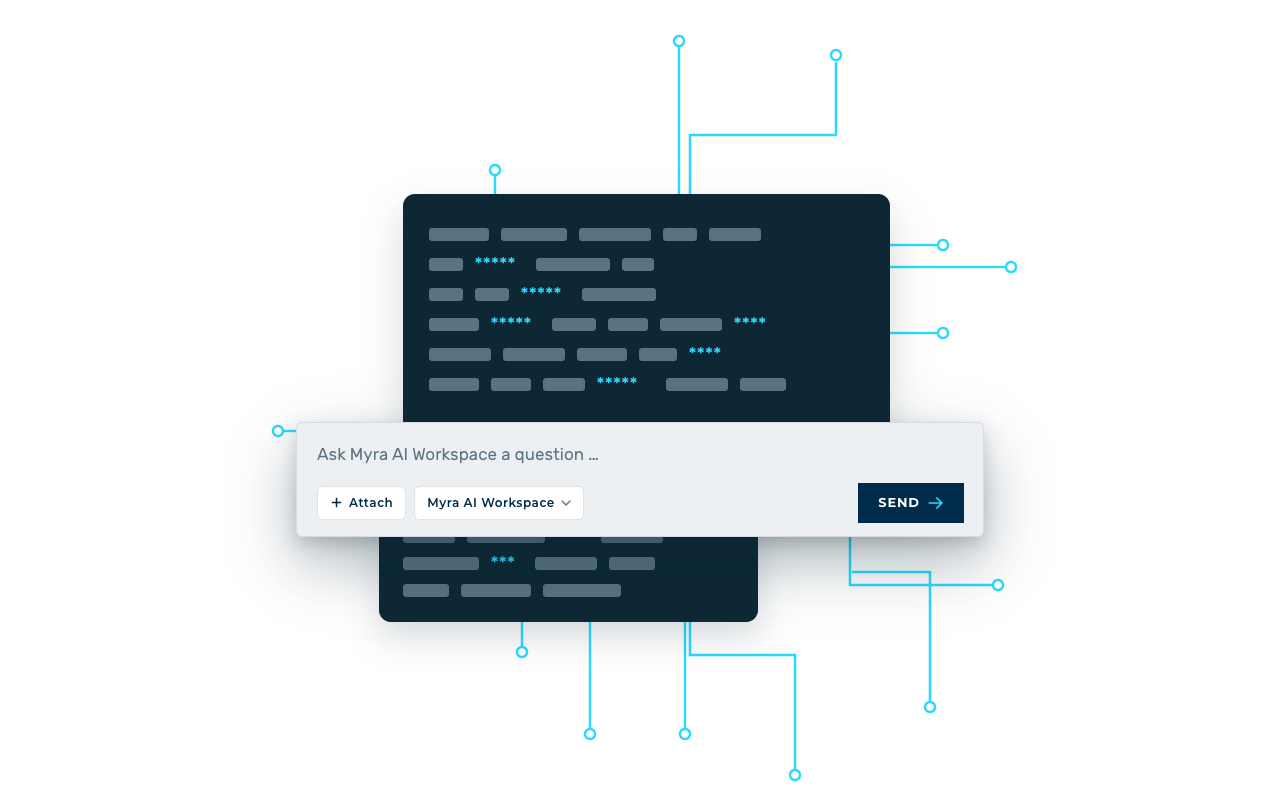
PII protection detects personal and sensitive data – such as names, email addresses, IBANs, or phone numbers – in prompts and replaces them with placeholders before calling external models. This allows users to work with AI without exposing original data beyond the gateway. With reversible tokenization, originals are re‑inserted into the response. Users work as usual; the external model only sees pseudonymized inputs.
These features form the technical foundation of an AI gateway. Larger organizations often add requirements such as multi‑tenancy, inheritable policies, delegated admin, SIEM integration, chargeback, high availability, and data residency. These influence platform selection more than the base concept.
What Benefits Does an AI Gateway Offer Organizations?
Value shows up across the business – and each role sees it differently. Security and privacy gain control over data flows; Finance gets cost visibility; engineering teams get a stable interface. Leadership gets scale without disproportionate risk.
In a nutshell: An AI gateway helps organizations scale AI safely. It reduces shadow AI, protects personal data, makes costs predictable, and provides audit evidence for privacy, security, and compliance.
Curb Shadow AI
According to Bitkom, 42% of companies confirm or suspect that employees use personal AI tools. The AI Adoption Report 2026 by Myra Security shows a similar picture: According to the report, 41% of employees use personal AI accounts for work-related tasks. Personal accounts, browser extensions, and individual subscriptions bypass IT and data protection controls. An AI gateway consolidates this traffic along a controlled path.
Many Models, One Policy
Few organizations rely on a single model. Without a gateway, each team maintains its own integrations, keys, and rules. With a gateway, the same policies apply across providers.
Privacy and Controlled Data Processing
An AI gateway helps protect personal and confidential information before model processing. PII masking, data‑class‑aware routing, guardrails, and audit logs ensure data flows are technically governed and traceable.
Predictable Costs
Token‑based pricing complicates forecasting. Budgets, limits, and clean attribution restore control – and fragmented single subscriptions can be consolidated.
Demonstrable Compliance
Frameworks such as GDPR, NIS-2, and the EU AI Act raise expectations for documented data flows, risk management, access controls, and traceability. Audit logs, explicit guardrails, and clear entitlements provide evidence from a single source.
Less Legal Uncertainty
For 53% of companies, uncertainty caused by legal hurdles and ambiguities is a barrier to AI adoption, as figures from Bitkom show. A gateway translates internal guidelines into technically enforceable rules. This provides clarity for employees and facilitates approval by those responsible for data protection and information security.
Faster Implementation of New Use Cases
Engineering teams build against a stable interface instead of re‑implementing security and billing logic. New models become available to authorized teams after a single approval in the gateway.
What Are Typical Use Cases for an AI Gateway?
Ein KI-Gateway lohnt sich überall dort, wo mehrere Personen, Teams oder Anwendungen auf KI-Modelle zugreifen. Die Einsatzszenarien reichen vom Chat für die gesamte Belegschaft bis zu Agenten, die Werkzeuge in eigenen Prozessketten aufrufen. Die im Gateway konfigurierten Regeln werden dabei stets durchgesetzt, es ändern sich nur die angebundenen Anwendungen.
In a nutshell: An AI gateway is typically used in any scenario where multiple people, teams, or applications access AI models. Common scenarios include company‑wide AI chat, custom AI applications, RAG systems, AI agents, MCP‑based toolchains, and enablement for platform/engineering teams.
A shared chat uses an AI gateway to expose approved models through a central UI while enforcing model access, privacy, budgets, and logging. For example, an insurer can auto‑summarize claims without sending names or policy numbers to external models.
In-house AI applications, such as a customer service chatbot, an internal knowledge search, or a document review tool, use an AI Gateway as the backend for model access. This allows for centralized configuration of model selection, security rules, and cost control.
The gateway can validate which internal documents or snippets are passed to models – controlling confidential content, personal data, and data classes before they leave for external providers.
AI agents use the gateway to secure model and tool calls in multi‑step workflows. Guardrails, budgets, and audit rules apply to agentic flows just like to direct chat.
Engineering and platform teams expose multiple models through one interface so teams can test, switch, and run models in production without re‑implementing security and billing – keeping costs and usage attributable per project.
AI Gateway vs. Traditional API Gateway
A traditional API gateway focuses on access, routing, and load balancing for generic APIs. An AI gateway adds AI‑specific controls such as prompt inspection, token cost tracking, model routing, PII masking, and guardrails.
Authentication and rate limiting
🟢 Core feature
🟢 Core feature, additionally token-based
Token/model‑based cost accounting
🔴 Not built‑in
🟢 Cost per token, model, team, and person
Prompt/output content inspection
🔴 Headers/payload structure only
🟢 Guardrails, PII detection, prompt‑injection defense
One interface across multiple AI providers
🟡 only with custom development
🟢 One endpoint for many models
Model routing and provider failover
🟡 Generic load balancing
🟢 Policy‑based by task, data class, and cost
Streaming and long response handling
🟡 Product‑dependent
🟢 Optimized for LLM responses
Prompt caching
🔴 Not built‑in
🟢 usually included
Authentication and rate limiting
🟢 Core feature
Token/model‑based cost accounting
🔴 Not built‑in
Prompt/output content inspection
🔴 Headers/payload structure only
One interface across multiple AI providers
🟡 only with custom development
Model routing and provider failover
🟡 Generic load balancing
Streaming and long response handling
🟡 Product‑dependent
Prompt caching
🔴 Not built‑in
AI Gateway vs. AI Adoption Platform
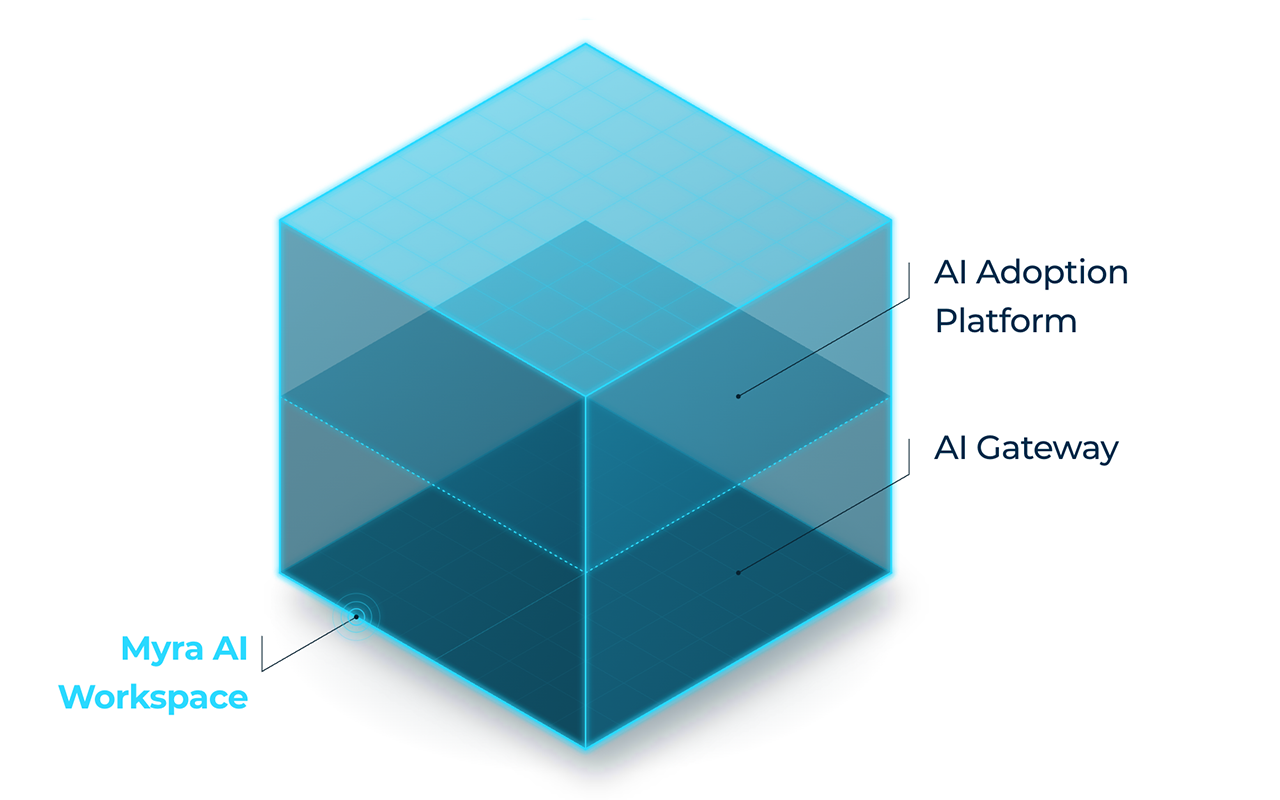
An AI gateway is the technical control plane for AI requests. An AI adoption platform is the user interface for employees. The gateway provides control, while the platform enables productive use in day-to-day work.
Primary audience
Business departments and all employees
IT, security, and platform teams
Chat UI and projects
🟢 Core feature
🔴 Usually not included
Multi‑model access
🟢 Via the UI
🟢 Via an endpoint
Granular guardrails and PII protection
🟡 Depends on underlying control plane
🟢 Usually included
Policy‑based routing and budgets
🟡 often basic settings only
🟢 Usually included
Tamper-evident audit log
🟡 Varies by vendor
🟢 Usually included
Impact on shadow AI
🟢 Provides an approved alternative
🟡 only with a connected front end
Primary audience
Business departments and all employees
Chat UI and projects
🟢 Core feature
Multi‑model access
🟢 Via the UI
Granular guardrails and PII protection
🟡 Depends on underlying control plane
Policy‑based routing and budgets
🟡 often basic settings only
Tamper-evident audit log
🟡 Varies by vendor
Impact on shadow AI
🟢 Provides an approved alternative
How to Integrate an AI Gateway Into Your IT Landscape
An AI gateway sits between existing apps and AI providers. With OpenAI‑compatible gateways, switching the base URL and API key often suffices; identity, policies, logging, and network routes are then wired centrally. A proven eight‑step rollout:
Inventory
Identify all AI tools, API keys, and apps in use – including unofficial ones. Network and proxy logs reveal access to known AI endpoints.
Choose an operating model
Managed service (dedicated tenant), your own cloud environment, or self‑hosting – this drives effort, responsibility, and legal framework.
Attach identity
Connect the gateway via SSO (e.g., SAML or OpenID Connect) and map groups to teams and roles.
Approve models
Register providers and, if needed, your own keys (BYOK). Define which models are allowed for which data classes.
Define policies
Align guardrails, PII rules, rate limits, and budgets with privacy, security, and finance stakeholders.
Adjust applications
With OpenAI‑compatible gateways, a new base URL and API key are typically enough.
Close direct paths
Block direct provider access via firewall/proxy so the gateway is the only approved route.
Integrate and pilot monitoring
Stream logs to SIEM and monitoring, start with a pilot, then refine policies before broad rollout.
How Much Does It Cost to Implement an AI Gateway?
There is no one‑size‑fits‑all price. Total cost depends on operating model, number of users, token usage, integration effort, and governance needs. Beyond platform or license fees, expect model usage, SSO/SIEM integration, operations, and internal alignment.
Platform/license fee
Base fee for the gateway/tenant, often tied to setup
Which features are included, and which cost extra?
Usage‑based fees
Per seat if an integrated UI is included
How many people use AI regularly?
Model token costs
Provider consumption, billed directly or via the gateway
Are there any surcharges? Is BYOK an option? How much do self-hosted models cost?
Integration effort
Integration of SSO, applications, SIEM, and network rules
How many applications need to be migrated? Is there onboarding support available?
Operations
For self-hosting: infrastructure, updates, patches, on-call support, staff
Open-source gateways are license-free, but not free of operating costs
Governance
Policy alignment, Data Protection Impact Assessment (DPIA), admin training
Mostly one‑time; decreases as policies mature
Platform/license fee
Base fee for the gateway/tenant, often tied to setup
Usage‑based fees
Per seat if an integrated UI is included
Model token costs
Provider consumption, billed directly or via the gateway
Integration effort
Integration of SSO, applications, SIEM, and network rules
Operations
For self-hosting: infrastructure, updates, patches, on-call support, staff
Governance
Policy alignment, Data Protection Impact Assessment (DPIA), admin training




Frequently Asked Questions (FAQ) About AI Gateway
An AI gateway is a central control plane between applications, users, and AI models. It checks each request, applies security and privacy rules, forwards it to an appropriate model, and logs usage, costs, and the rules applied. This allows organizations to maintain control over data, costs, and compliance.
About the author



Björn Greif
Senior Editor
About the author
Björn started his career as an editor at the IT news portal ZDNet in 2006. 10 years and exactly 12,693 articles later, he joined the German start-up Cliqz to campaign for more privacy and data protection on the web. It was then only a small step from data protection to IT security: Björn has been writing about the latest trends and developments in the world of cybersecurity at Myra since 2020.